CLI
Getting Started
Install the Orca CLI, sign in, and run your first commands.
The CLI is currently in Beta. Commands and flags are still evolving. Make sure you're on the latest version of the CLI if you run into issues.
The Orca CLI (orca) is a single static binary that drives the same
backend as the desktop app. Use it to manage workspaces, tasks, automations,
and the local host server from your terminal or from CI.
Install
Desktop app
The desktop app includes the Orca CLI. When the app launches, it writes
an app-managed shim at ~/.orca/bin/orca, and Orca terminals
prepend ~/.orca/bin to PATH automatically.
To use the bundled CLI from a normal shell, add the directory to your shell profile:
export PATH="$HOME/.orca/bin:$PATH"Standalone install
curl -fsSL https://orca.marcofaul.de/cli/install.sh | shThe script auto-detects your platform (macOS on Apple Silicon or Intel, Linux on
x64 or arm64), installs Orca under ~/orca by default, and adds
~/orca/bin to your shell PATH.
Homebrew
brew install MarcoFaul/tap/orcaSign in
orca auth loginThe CLI starts a loopback callback server on 127.0.0.1:51789 (or 51790
through 51793 if earlier ports are busy), opens your browser to the
consent page, and stores a session token at ~/.orca/config.json.
If you belong to multiple organizations, you'll be prompted to pick one. To skip the prompt and pick directly:
orca auth login --organization acmeFor CI or other non-interactive environments (where there's no browser to
complete the OAuth flow), use an API key instead. You can either store it
once with auth login --api-key:
orca auth login --api-key sk_live_…
orca auth whoami
…or set ORCA_API_KEY per-invocation without writing anything to disk:
export ORCA_API_KEY=sk_live_…
orca auth whoami
API keys are issued from the Settings → API Keys page in the desktop app.
Verify your session
orca auth whoamiSigned in as Satya Patel (you@example.com)
Organization: Acme
Auth: Session (expires in 32 min)Explore interactively
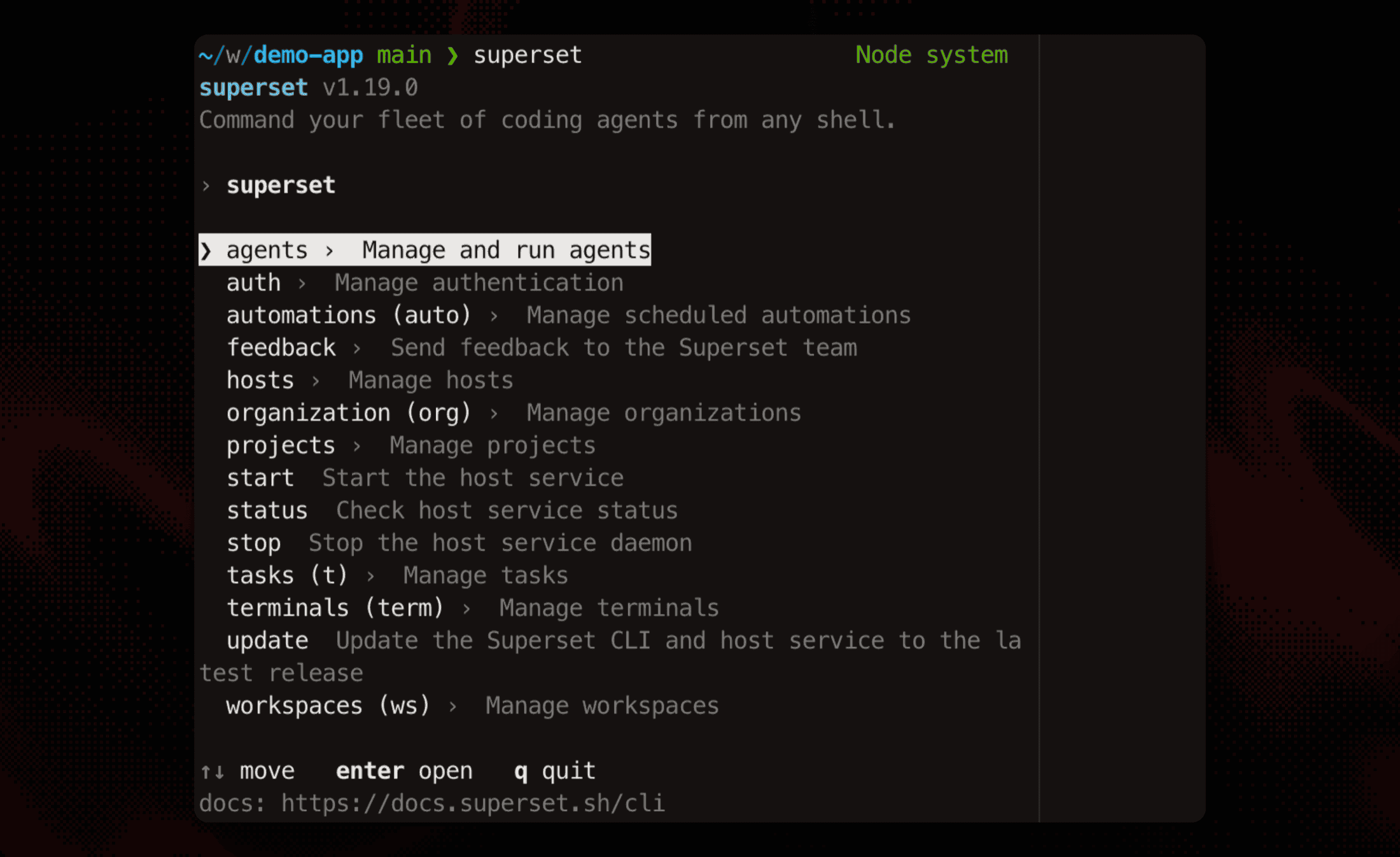
Bare orca in a terminal opens an interactive command browser:
arrow-key through the commands, read their flags, and fill in required
inputs with guided prompts. The confirmation screen shows the exact
command before running it. orca --help prints the same catalog as
static, grouped help. Agents and CI always get static help; the browser
never opens there.
Run your first commands
List the projects in your organization:
orca projects listIf your repo isn't there yet, register it on this machine. Clone from a Git URL or import an existing checkout:
# Clone from a URL
orca projects create --name "my-app" --local \
  --clone https://github.com/org/my-app.git \
  --parent-dir ~/code

# Or register an existing local checkout
orca projects create --name "my-app" --local --import ~/code/my-app
If the project already exists in your org but isn't on this machine, attach to it instead of creating a duplicate:
orca projects setup <id-from-projects-list> --local --parent-dir ~/codeThen create a workspace against it:
orca workspaces create \
  --project prj_… \
  --name "fix-login-bug" \
  --branch fix/login-bug \
  --local
Trigger an automation immediately:
orca automations list
orca automations run aut_…
orca automations logs aut_…
Output modes
Every command prints a TTY-friendly view by default. Two flags switch the shape of the output for scripting:
| Flag | Output |
|---|---|
--json | The data payload as formatted JSON. No envelope. |
--quiet | One ID per line for arrays of objects with id; the ID for single objects; JSON otherwise. |
orca tasks list --status in_progress --json | jq '.[].title'
orca workspaces list --quiet | xargs -L1 orca workspaces delete
When the CLI detects an agent or CI environment (CLAUDE_CODE,
CLAUDECODE, CLAUDE_CODE_ENTRYPOINT, CODEX_CLI, GEMINI_CLI,
ORCA_AGENT, or CI set to a non-empty value), it defaults to JSON
output unless you pass --quiet.
Local vs. remote hosts
Commands that touch a host accept --host <id> to pick which host handles
the request, or --local for this machine. Local-targeted calls go
straight to the host server over loopback (offline-friendly); remote
calls route through the cloud API and the relay.
orca hosts list
orca workspaces list              # this machine
orca workspaces list --host h_…  # another host
Every host-scoped command targets exactly one host. Reads
(workspaces list, projects list) default to this machine; mutating
host commands (projects create, projects setup, workspaces create)
require an explicit --host or --local; there's no default. There is
no org-wide listing; the desktop app is the cross-host view.
Where state lives
~/.orca/config.json                            # auth, active organization
~/.orca/host/<organizationId>/manifest.json    # host server endpoint + token
~/.orca/host/<organizationId>/host.db          # local host server DB
ORCA_HOME_DIR relocates the whole tree, matching the desktop app.
Next steps
Continue to the CLI reference for every command, flag, and output shape.